
PageTOCA table of contents for any long page in Safari.
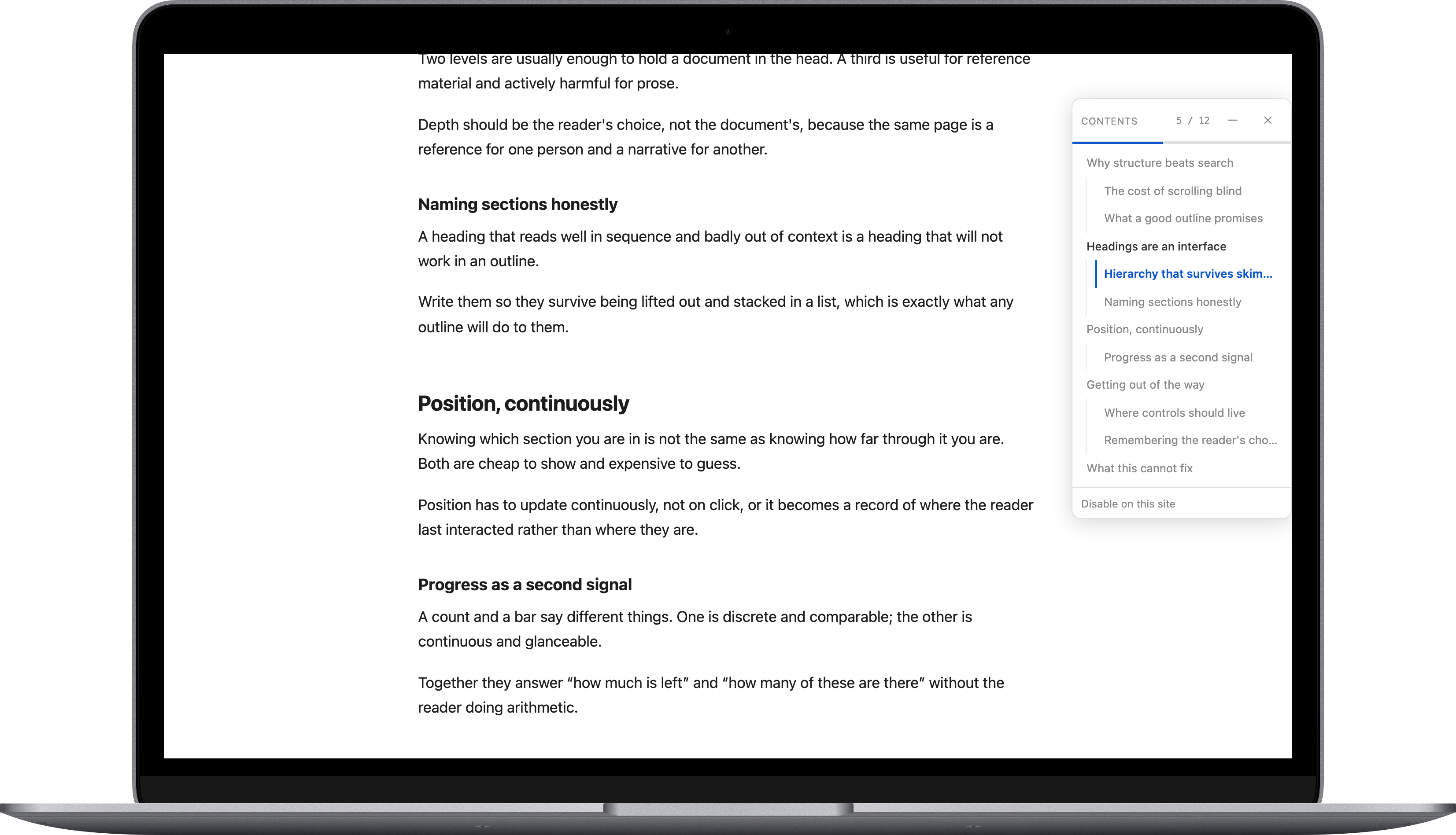
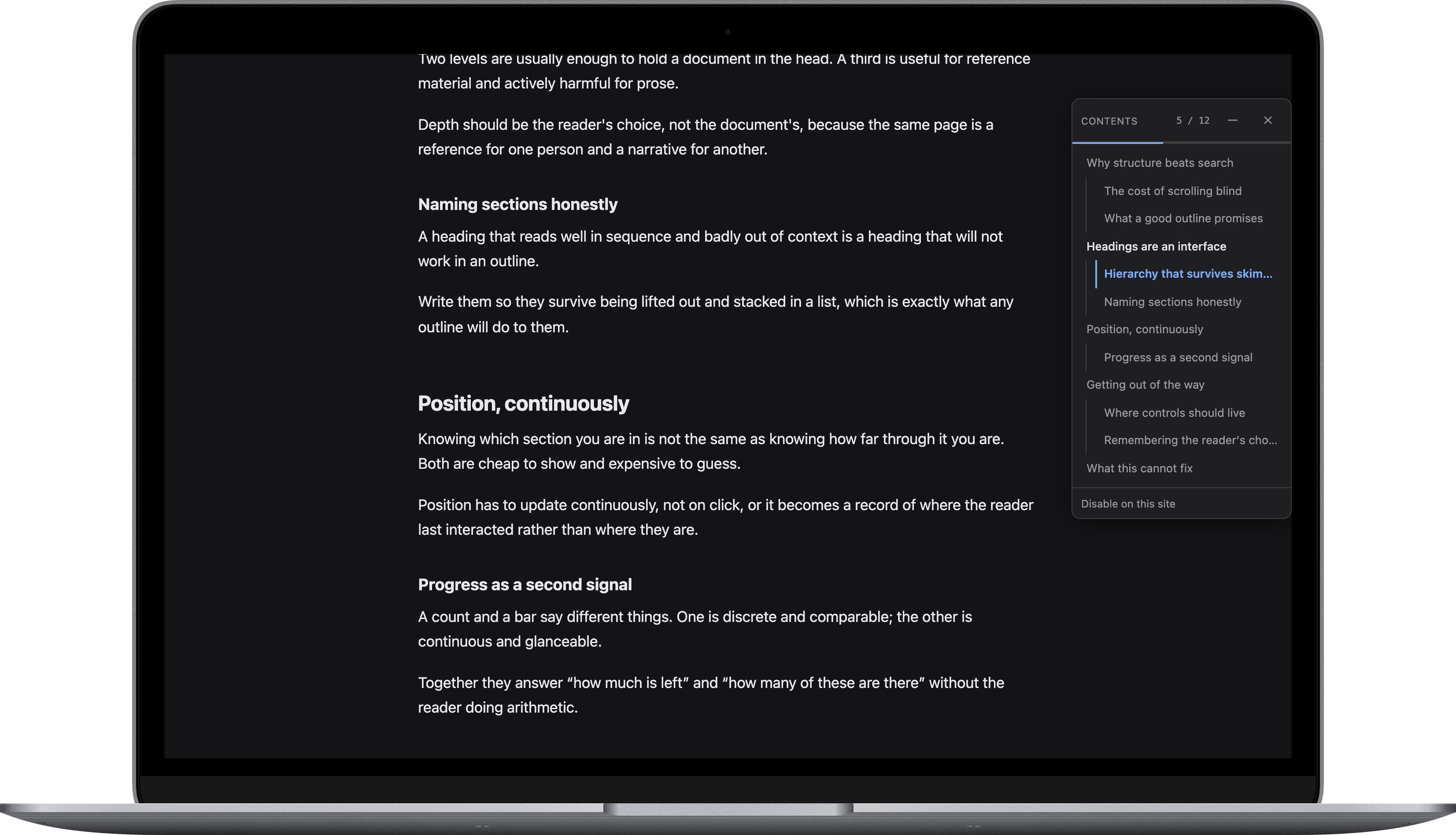
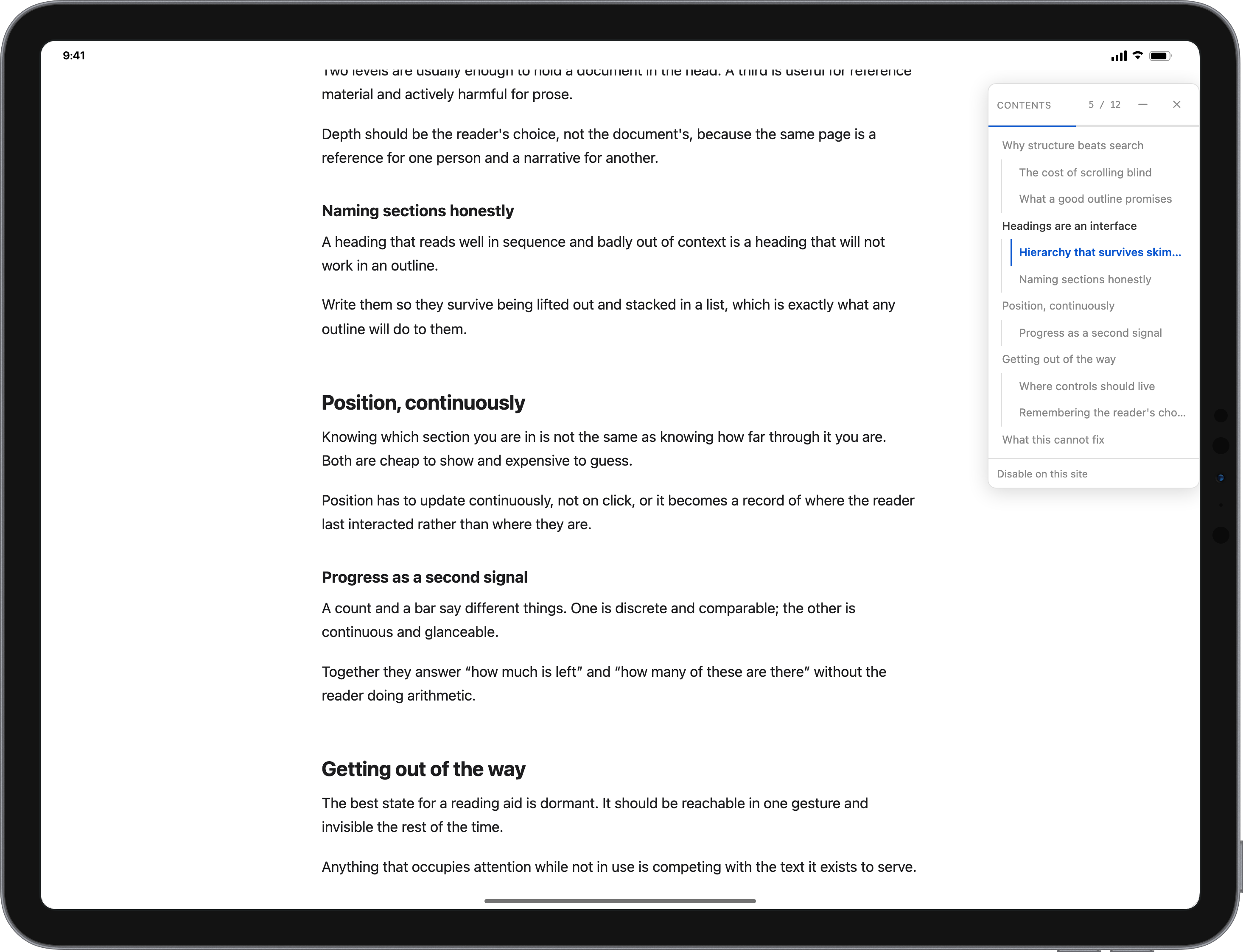
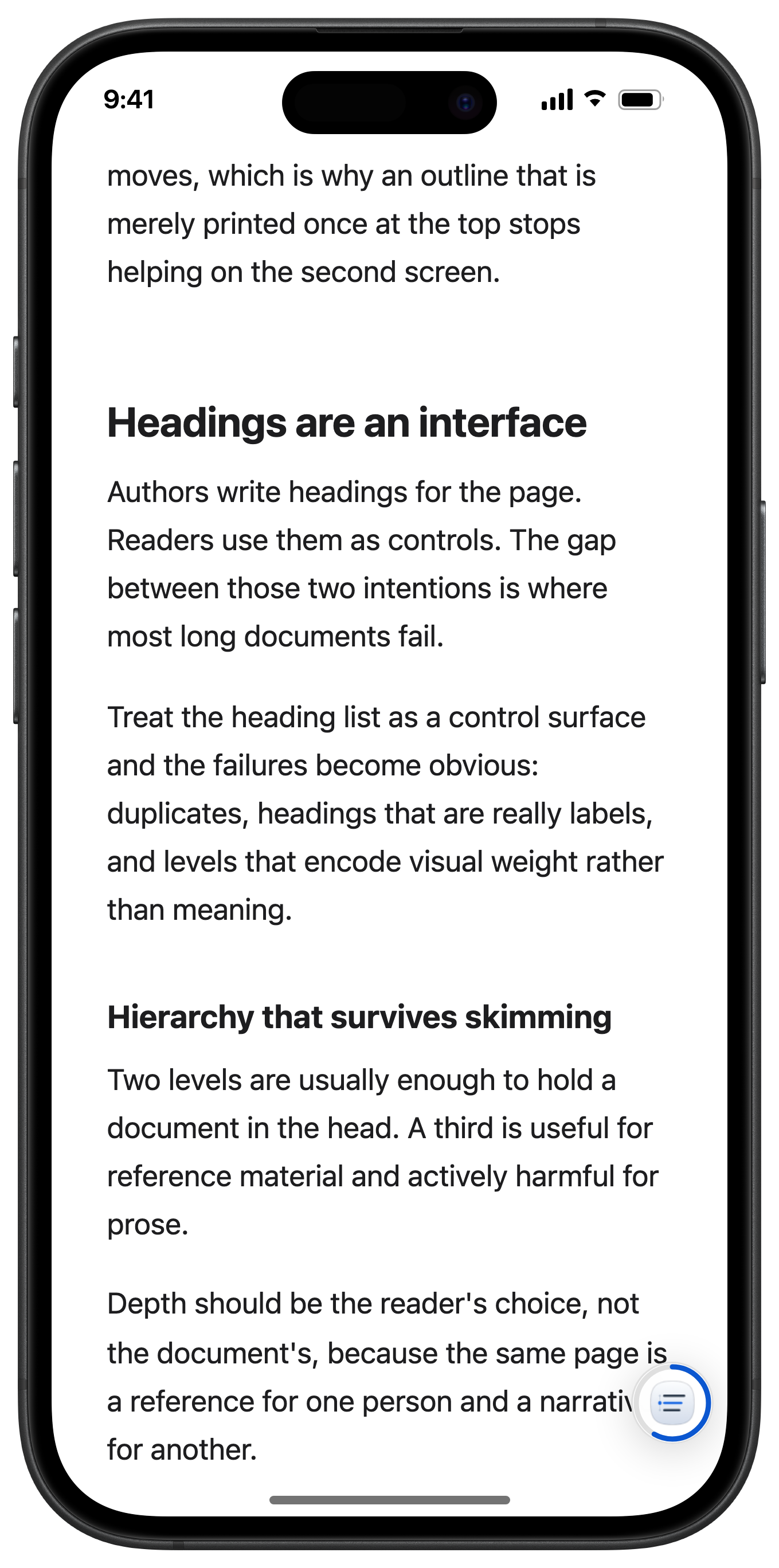
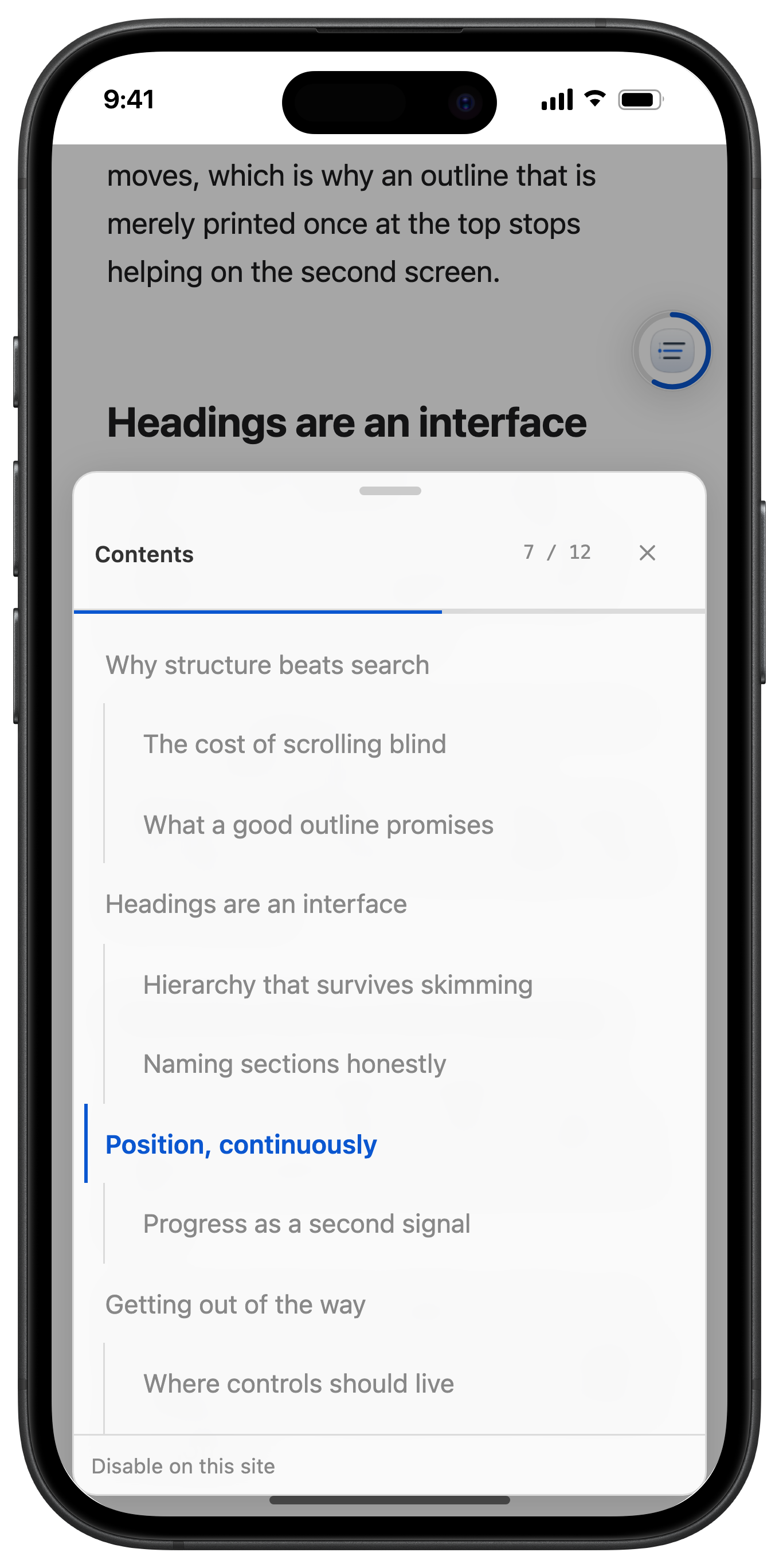
PageTOC reads a page’s own headings and builds an outline you can jump around in — on iPhone, iPad and Mac.
Coming to the App Store
Safari on iOS 17+, iPadOS 17+ and macOS 14+
What it looks like
Mac
iPad
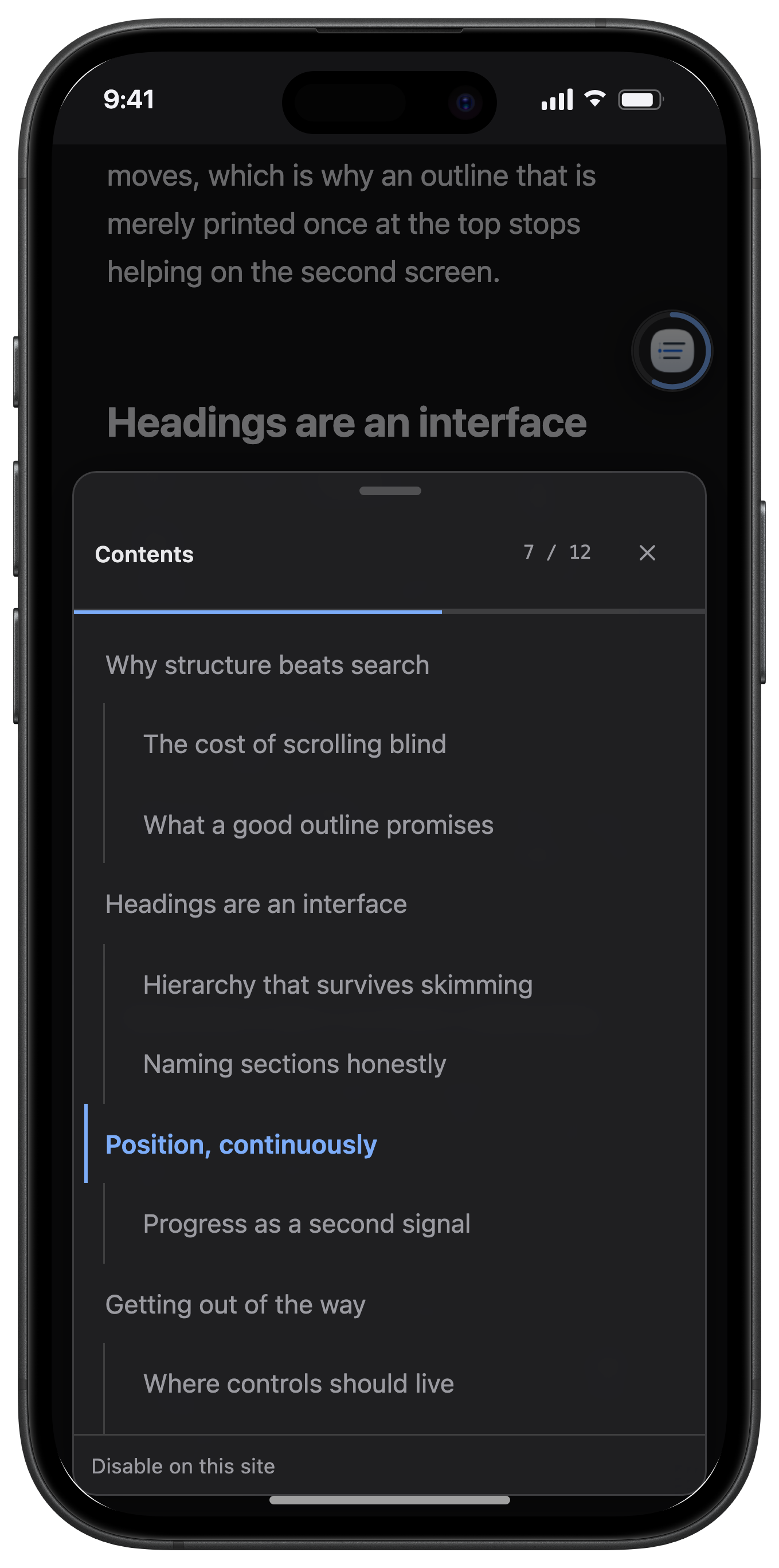
iPhone
What it does
Built from the page itself
The outline comes from the page’s real heading tags. Nothing to configure, per site or otherwise.
Always shows where you are
The section you are reading stays highlighted as you scroll, with a bar for how far into the page you have got.
One tap to anywhere
Smooth scrolling to any heading — including headings inside a page’s own scrolling container.
A button you place yourself
Drag the floating button wherever it suits you. It snaps to the edge and stays there, remembered per site.
Follows Dark Mode
Light and dark, matched to Safari, on all three platforms.
Not on every site
Hide PageTOC on a site in one tap. The list of hidden sites lives in the app, and you can undo it there.
Three steps, once
- 1
Install and open the app
The app is small on purpose: an enable card, two settings, and the list of sites you have hidden it on.
- 2
Turn PageTOC on in Safari
Safari asks for permission per site the first time you use it there. Choosing “Always Allow” means it stops asking.
- 3
Open any long page
Tap the floating button on iPhone or iPad, or press ⌘⇧E on Mac.
It collects nothing
No account, no analytics, no crash reporting, no server. The extension contains no networking code at all — no fetch, no XMLHttpRequest, no WebSocket, no sendBeacon — so there is nothing to opt out of.
Stored on your device
Your two settings; the sites you chose to hide it on; where you dragged the panel or the button, per site.
Never stored
The addresses of pages you visit; how far you have read; any content from the pages; any identifier for you or your device.
You do not have to take our word for it: run PageTOC behind an HTTP proxy and watch it produce no traffic at all.
What it cannot do
- Safari does not let extensions run in Reader view or on native PDFs, so PageTOC cannot add an outline in either place.
- Pages that style ordinary text to look like headings, instead of using real heading tags, may come up empty.
- If that happens on a page you care about, send us the address — with no analytics, it is the only way we find out.